Welcome to Shell UK Customer Services
fuelService
What is fuelService?
What is fuelService?
fuelService is an app that allows disabled drivers to contact Shell service stations to request assistance with refuelling before making a journey.
Once help is confirmed, you can use the app to notify the station when you arrive. Payment is easy too, with Pay at Pump mobile payment available at selected Shell stations, you can also pay via card or cash.
Click here to find out how it works and download the fuelsevice app in 4 easy steps.
Click here to see the service in action.
How does fuelService work?
How does fuelService work?
fuelService is an app that allows drivers with physical limitations to contact Shell service stations to request assistance with refuelling before making a journey.
Simply download the fuelService app from the App Store or GooglePlay store and then follow the below steps:
1. Before making your journey, find your nearest Shell service station via the fuelService app.
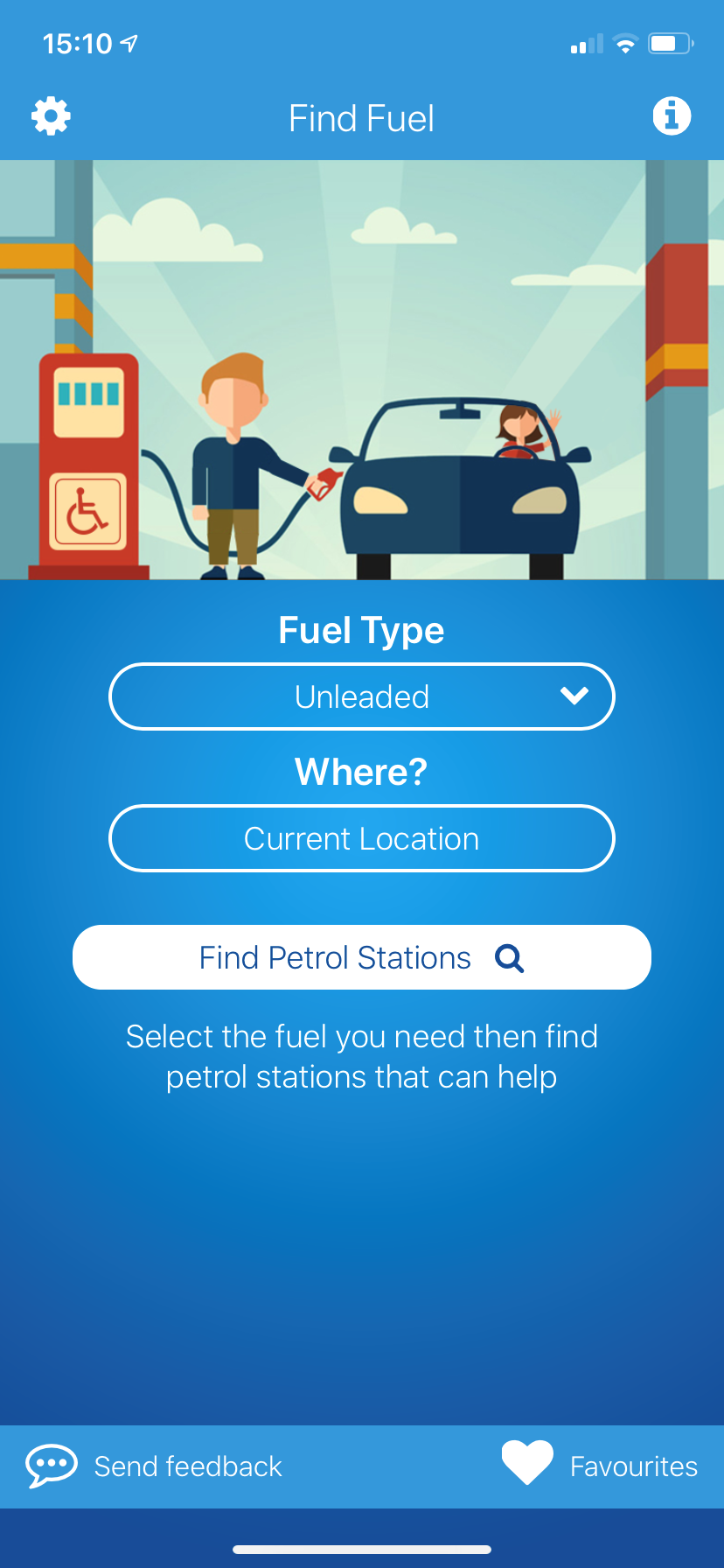
2. Once you have chosen the station you would like to visit, select 'Ask For Assistance'. This will automatically contact the station for you and ask them to confirm if they are able to assist you within the next 30 minutes.
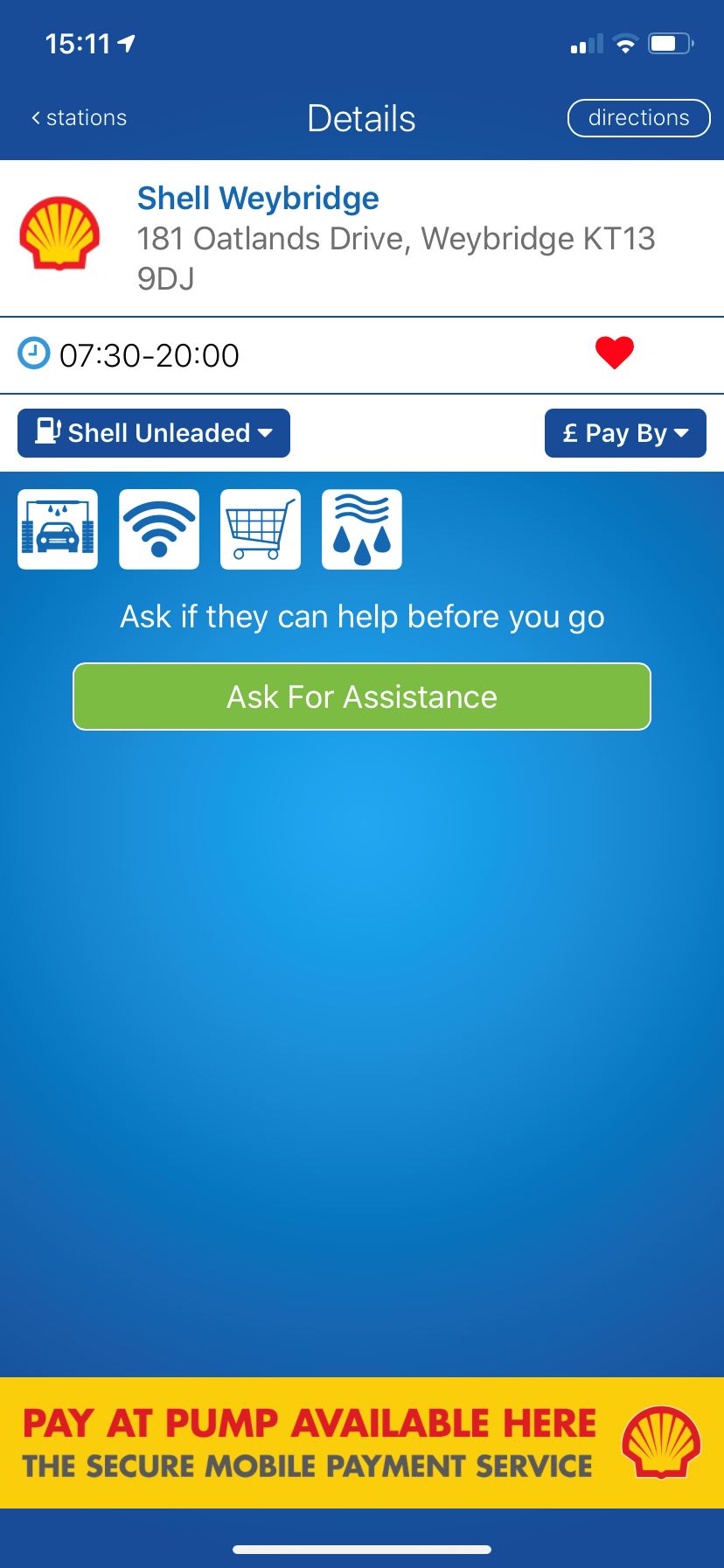
3. If the station accepts, make your way to the station. Once you arrive, open the fuelService app and click 'I've Arrived' and then enter your pump number.
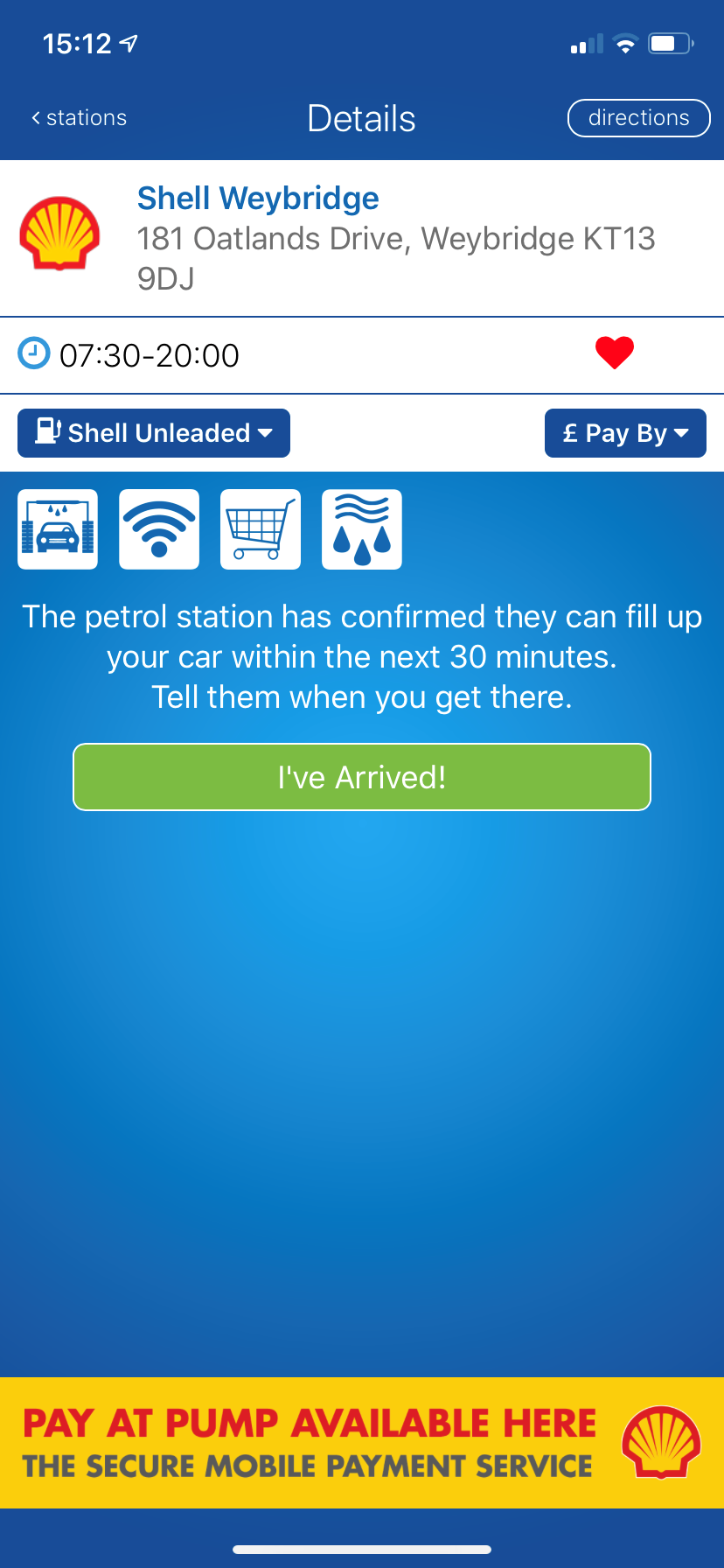
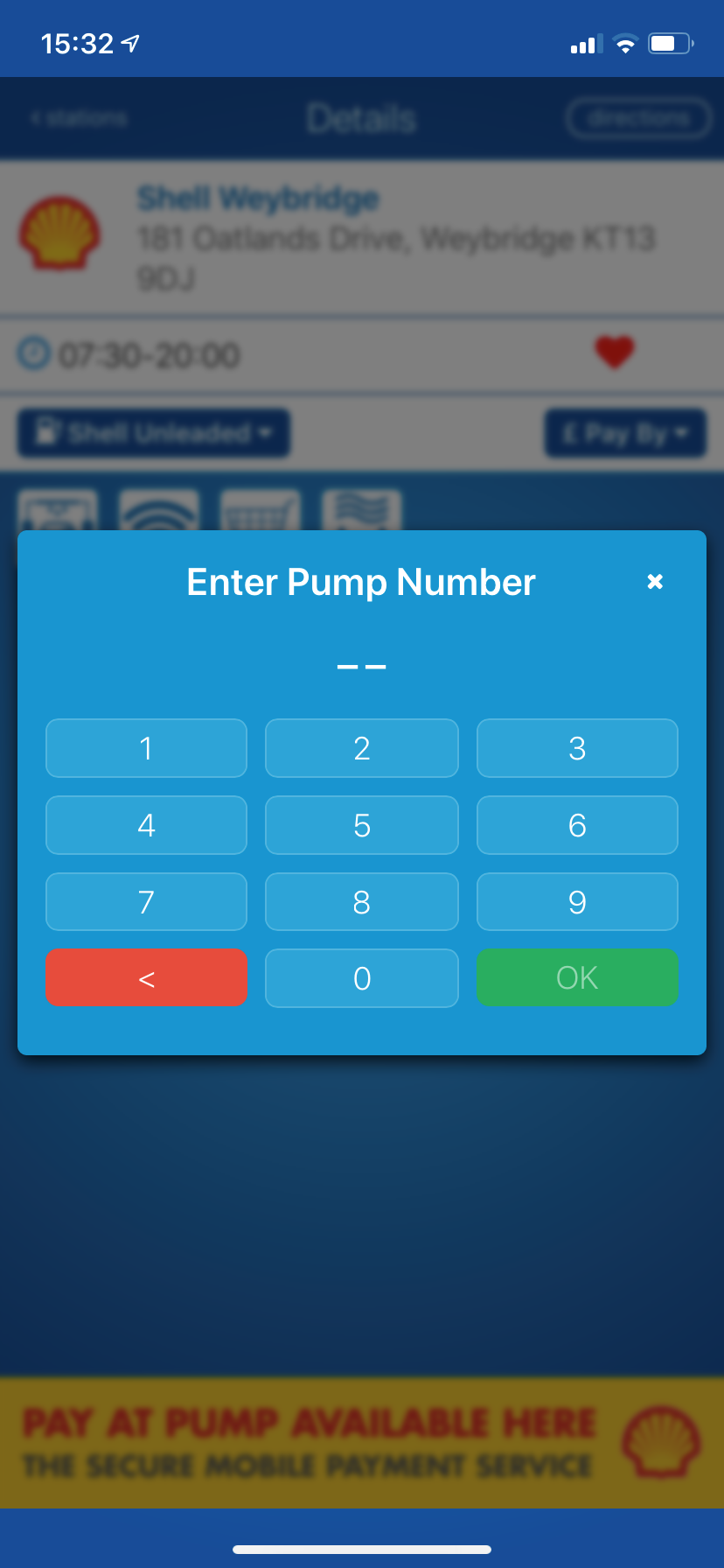
4. The Service Champion will then let you know how long it'll be before someone is able to assist.
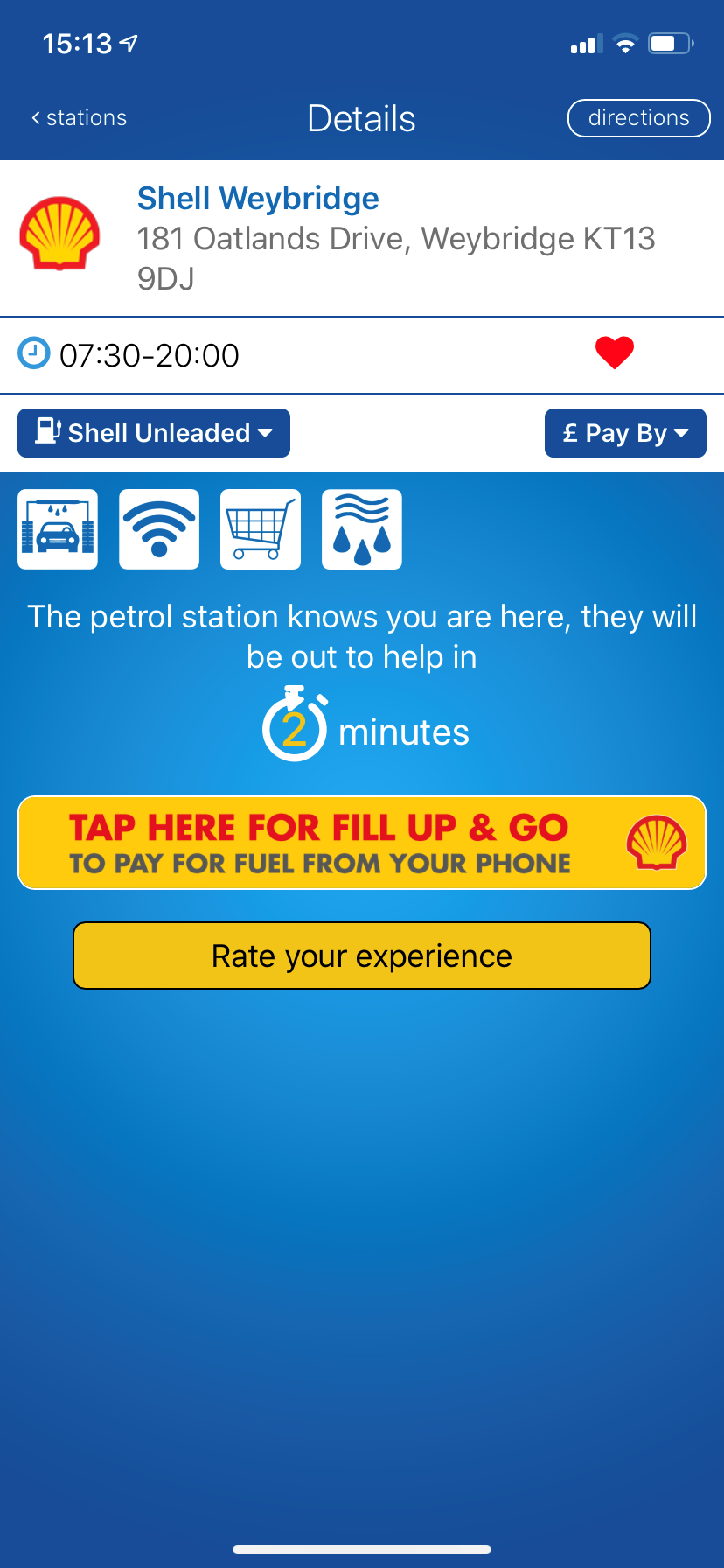
5. Once you have had assistance refuelling, you can pay via cash or card, or alternatively use Pay at Pump mobile payment (at participating Shell service stations) via the Shell App to pay from within your car.
If you don't have a smartphone don't worry as you can also use fuelService by dialing the interactive voice service or by sending an SMS text message.
Which Shell service stations have fuelService?
Which Shell service stations have fuelService?
You are able to see which of our service stations offer fuelService by visiting our Station Locator and filtering by ‘fuelService’.
Alternatively, if you open the fuelService app, you can use the ‘find petrol stations’ function to find the nearest Shell service station to you that offers the service.
How can I pay when using fuelService?
How can I pay when using fuelService?
When using fuelService, you can pay via card or cash, or through Pay at Pump mobile payment at participating Shell Stations.
The fuelService app and Shell App work together to let fuelService customers Pay at Pump from inside their car. All you have to do is download the Shell App and set up an account with Shell Go+, then select pay at pump from within the fuelService app and you will be taken to the Shell app to pay.
Other Shell Service Stations sections
Contact support
Service stations
Service stations
Chat with us anytime! Our Shell Virtual Assistant is available 24/7 to assist you. Simply click on the chat button at the lower right hand corner of the page to start a conversation.
If needed, our Shell Virtual Assistant can connect you to a live agent during business hours, Monday to Friday: 8:00 AM – 4:45 PM excluding public holidays.
Webform: Shell Service Station Enquiries
Shell GO+ Rewards
Shell GO+ Rewards
Chat with us anytime! Our Shell Virtual Assistant is available 24/7 to assist you. Simply click on the chat button at the lower right hand corner of the page to start a conversation.
If needed, our Shell Virtual Assistant can connect you to a live agent during business hours, Monday to Friday: 8:00 AM – 4:45 PM excluding public holidays.
Webform: UK Shell Go+ Rewards Enquiries
Shell Recharge
Shell Recharge
Simply click on the chat button at the lower right-hand corner of the page to start a conversation with our Shell Virtual Assistant.
If needed, our Shell Virtual Assistant can connect you to a live agent during business hours, Monday to Friday: 8:00 AM – 4:45 PM excluding public holidays.
Please note: We’ve migrated our home and business charge points to 50five. For support, contact 50five’s customer service here: 50five Shell Recharge Customer Support